Nodes
Nodes are the devices that connect to your VPN networks — laptops, servers, phones, or any machine running the Camouflage client.
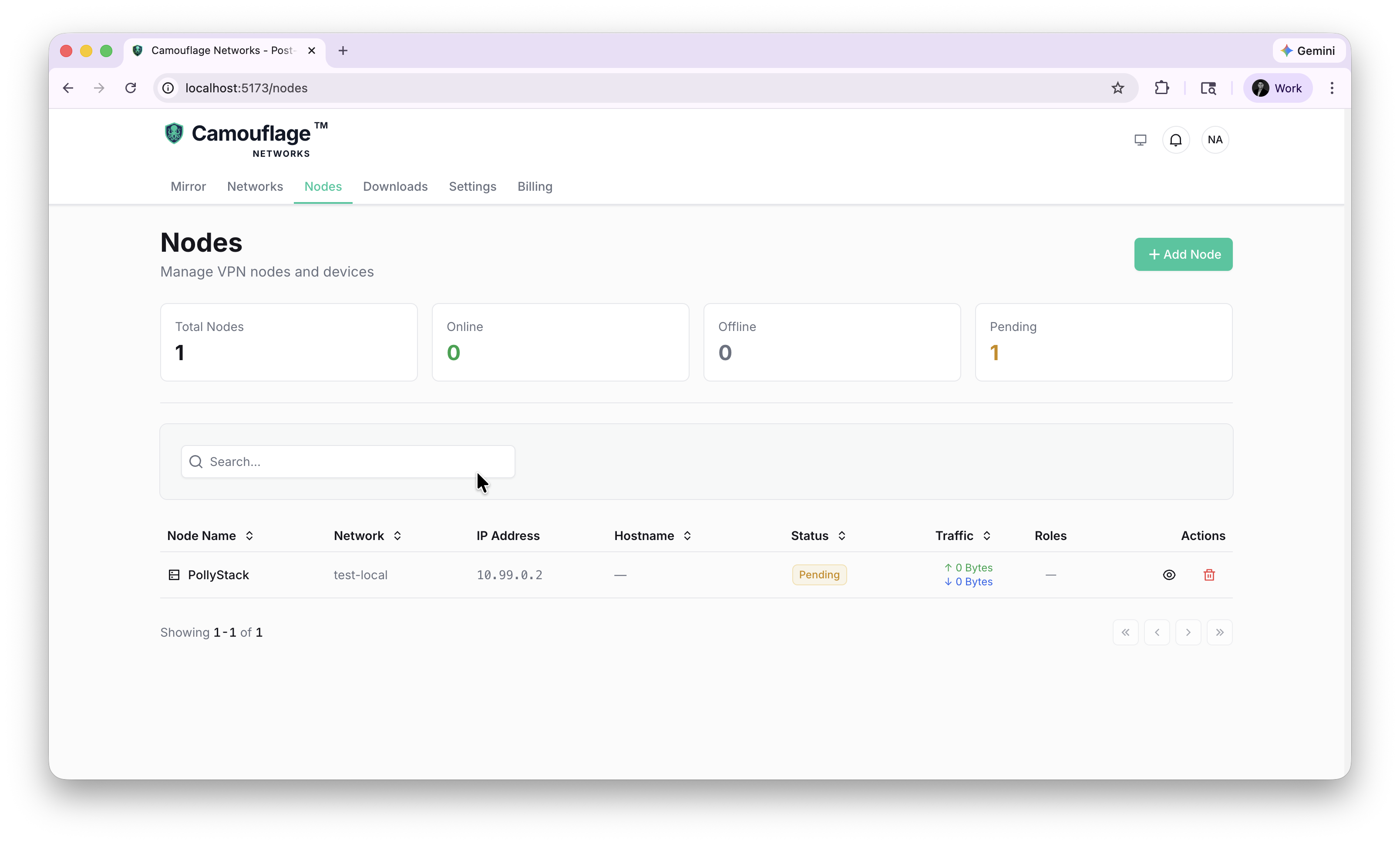
Dashboard
The Nodes page shows summary cards:
- Total Nodes — All registered devices
- Online — Currently connected
- Offline — Registered but not connected
- Pending — Created but never connected
The table lists every node with its name, network, IP address, hostname, status, traffic stats, roles, and actions.
Adding a Node
Click + Add Node to register a new device.
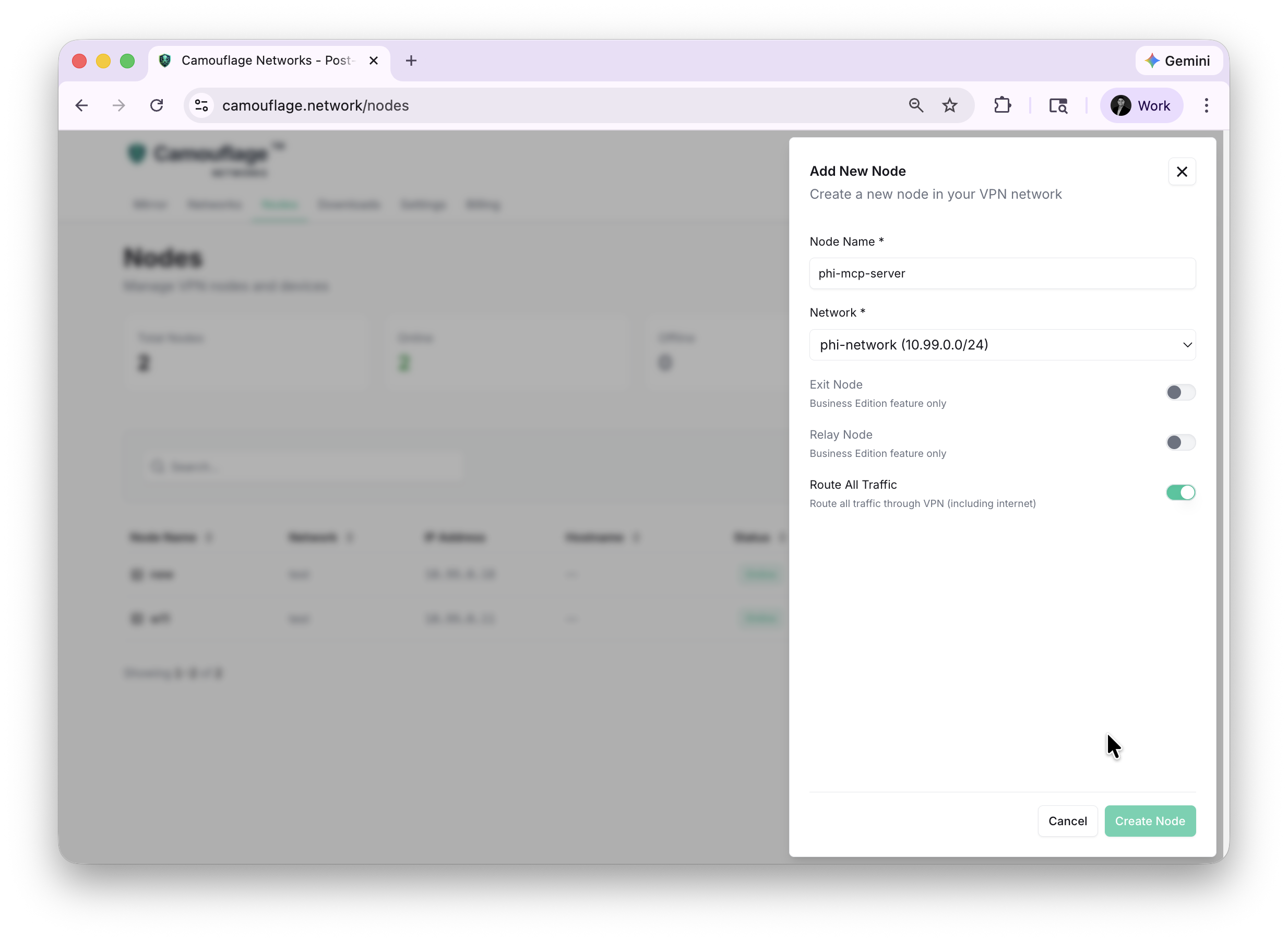
Node Settings
| Field | Description |
|---|---|
| Node Name | A descriptive name (e.g., "phi-mcp-server") |
| Network | Which network this node belongs to |
| Exit Node | Route other nodes' internet traffic through this node (Cloud & Enterprise) |
| Relay Node | Act as a relay for NAT traversal (Cloud & Enterprise) |
| Route All Traffic | Route all device traffic through the VPN including internet |
Connection Profile
After creating a node, you receive a one-time authentication key and connection profile.
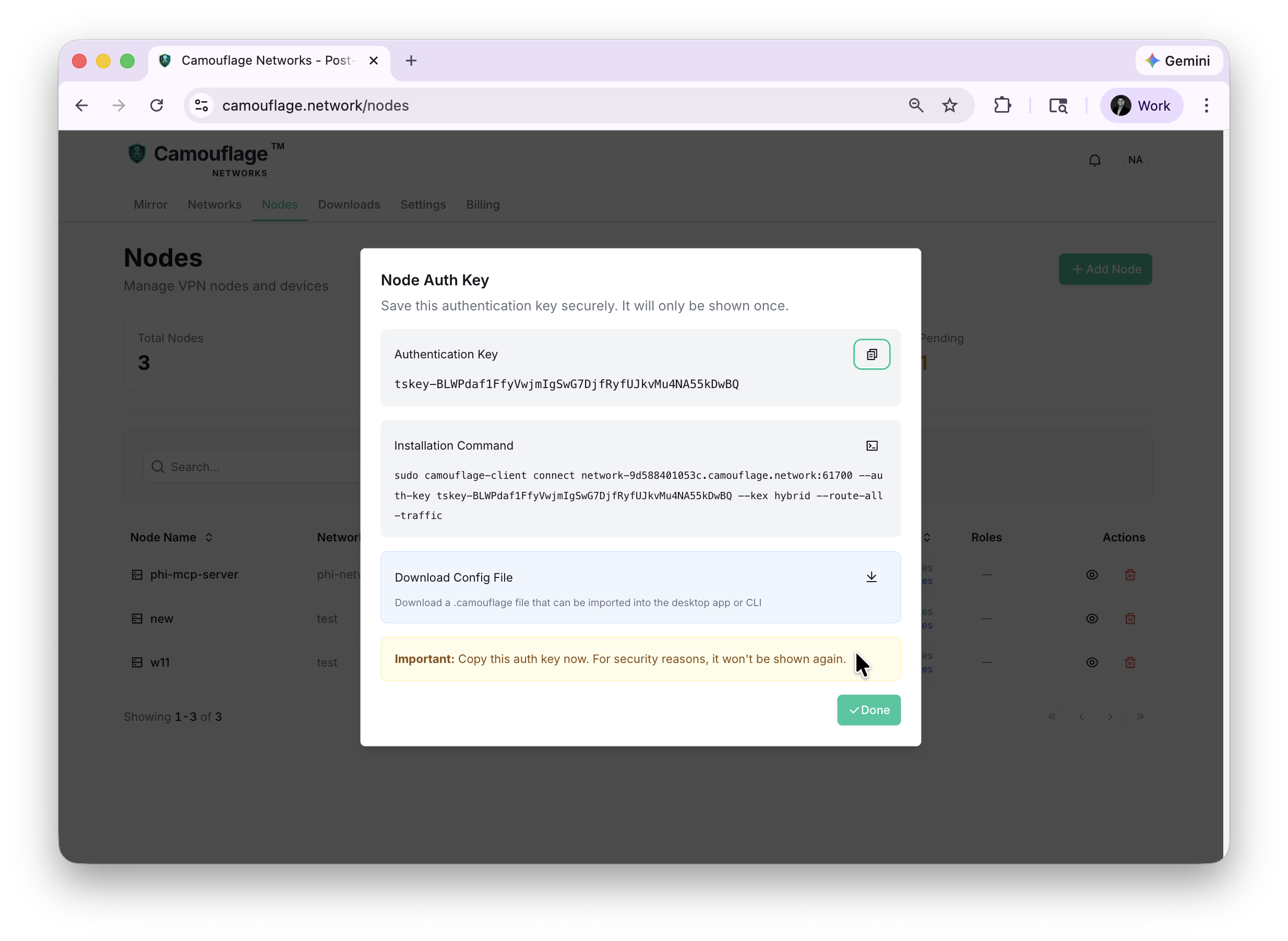
The dialog provides three ways to connect:
- Authentication Key — Copy the
tskey-...key to use with the CLI client - Installation Command — A ready-to-run shell command for quick setup
- Download Config File — Download a
.camouflagefile to import into the desktop app
Copy the auth key immediately — it is only shown once and cannot be retrieved later.
Adding Multiple Nodes
Create additional nodes on the same network to enable secure communication between them.
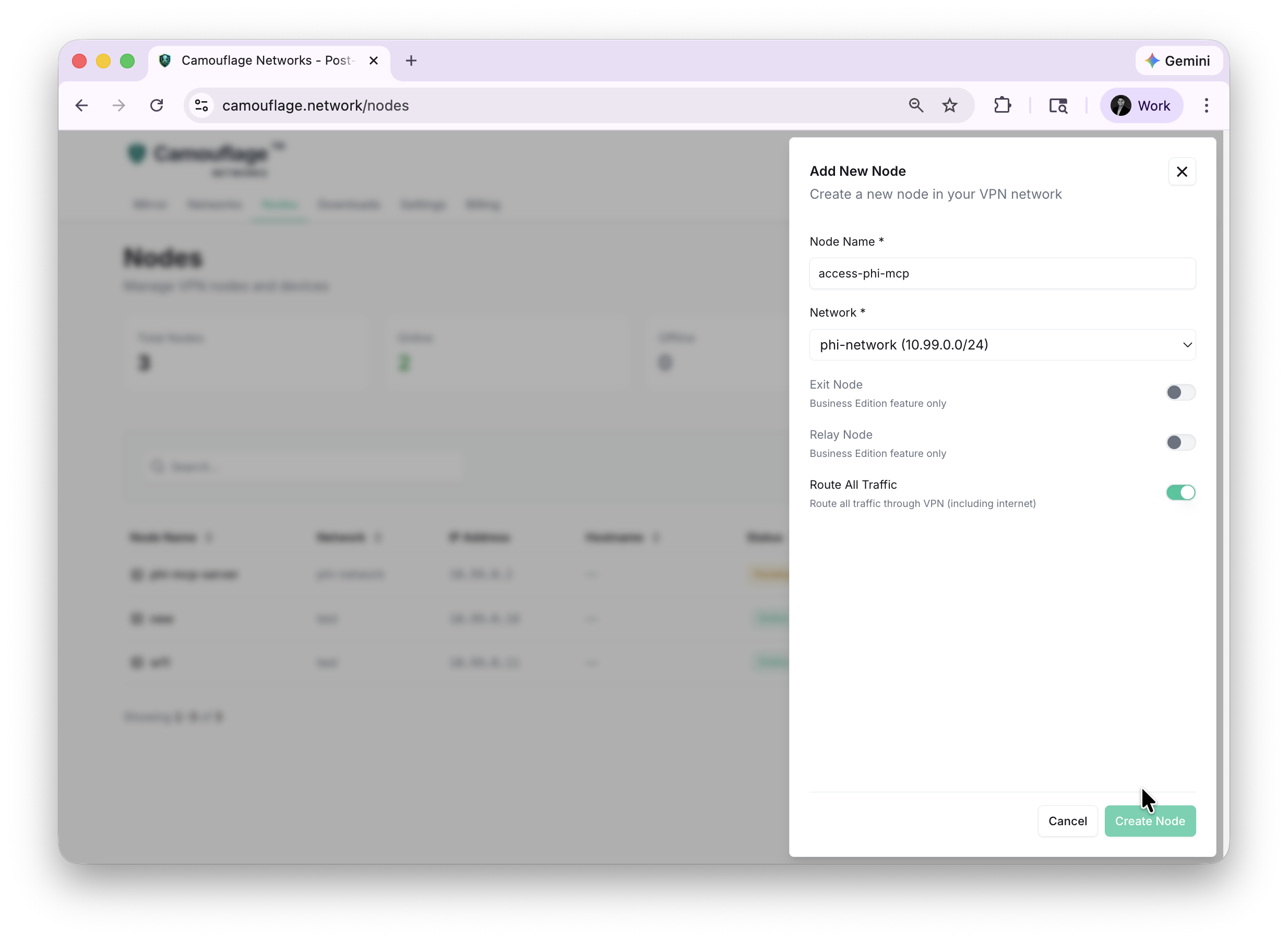
Once both nodes connect, they receive fixed IPs on the network subnet and can communicate directly:

Each node gets a persistent IP address (e.g., 10.99.0.2, 10.99.0.3) that stays the same across reconnections.